
Lock the tachograph with the company card
Locking the tachograph with the company card is strictly checked. Here is how to check and lock your tachographs correctly — and avoid fines.
Why this is legally required
When installing a new tachograph (for example after a retrofit to the smart tacho 2) or when renting or buying a vehicle, it is legally required to register the tachograph with your company’s company card. If the tachograph is not locked, this can lead to fines.
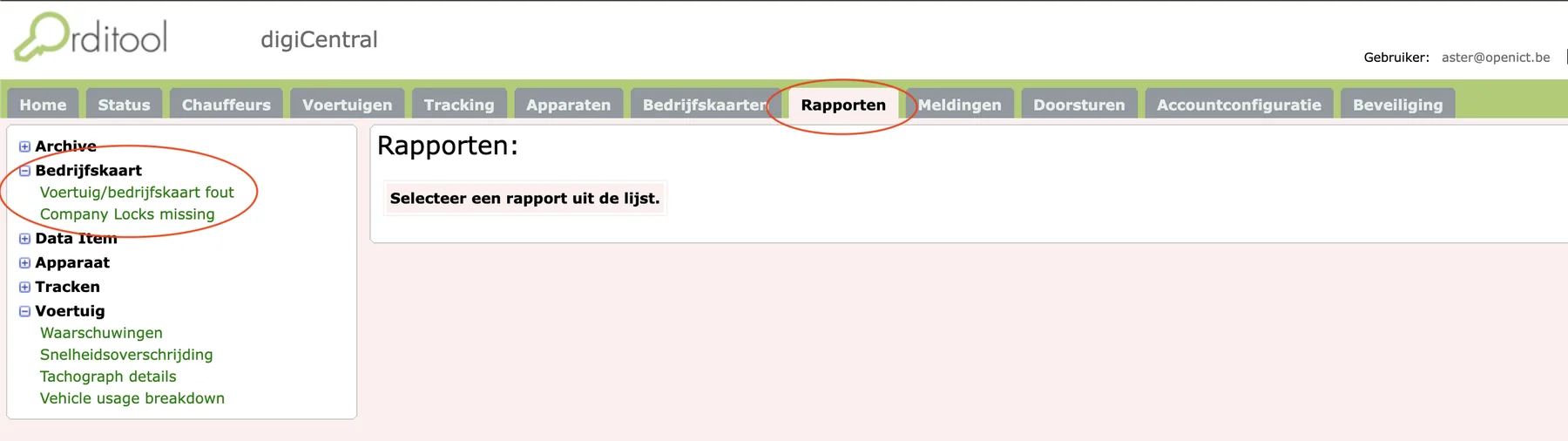
Check it easily in Digicentral
Digicentral shows you immediately where things go wrong:
- Vehicle/company-card error — tachographs on which a wrong company card is locked, so the legal activities are requested under a wrong name and cannot be read correctly.
- Company locks missing — tachographs on which no company card is locked, so everyone has access to your legal data. Lock before the first trip.
Locking or unlinking, per brand
The procedure to lock or unlink the company card differs per tachograph brand — VDO and Stoneridge each work slightly differently. Our helpdesk will gladly provide the right steps for your device.
Need help with locking?
Our helpdesk is happy to help with the right procedure for your tachograph.